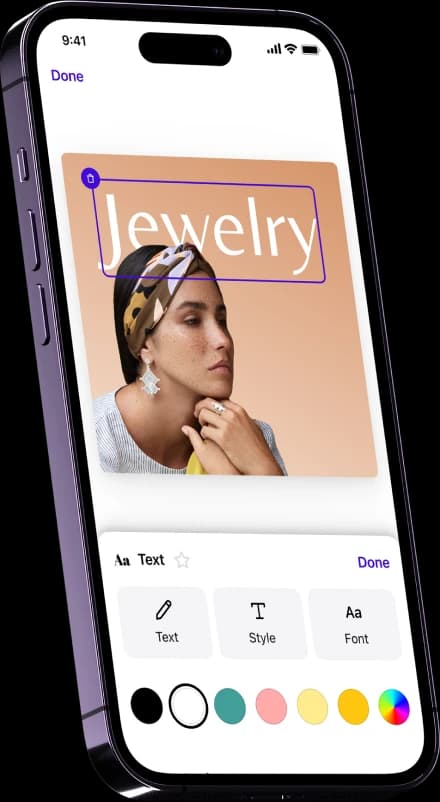
Clean up your product photos fast. Remove unwanted objects from images in just a few swipes with our AI photo eraser.
Or drop an image
No picture on hand? Try with one of these
Editors' Choice
Editors' Choice
Editors' Choice
Editors' Choice
300+ million downloads
Transform cluttered product images into sales-boosting e-commerce visuals
Remove objects from product photos in seconds with AI
Stop wasting time erasing unwanted details from product photos. Create professionally retouched visuals for your e-commerce product pages and Amazon listings without the manual work. Swipe over the area you want to clean up and let the AI photo eraser do the work for you. Watch it instantly fill in the background for a natural, realistic finish.
Reduce costs and speed up workflows with AI photo retouching
Traditional photo editing is slow, expensive, and inconsistent. Whether you’re a small seller or a growing brand, retouch product images in batches with an AI object remover. E-commerce brands and marketplaces using Photoroom’s suite of AI product photography tools are already reducing photo editing costs by 93%+ and launching new products 4x faster.
Erase unwanted objects from any type of product photo
Regardless of what you sell, create polished, sales-driving e-commerce visuals at scale. From clothing and apparel to furniture, beauty, and food, remove people, props, or background clutter from all types of product photography. Clean up images for your online store or marketplace, while maintaining a consistent brand look across every channel.
Losing sales due to inconsistent e-commerce visuals that cause customer confusion? With the right AI photo editing tools, you can do more than remove unwanted objects to ensure visual branding compliance. Generate custom backgrounds that match your brand aesthetic, showcase products in real-world or lifestyle settings, and instantly resize images for marketplaces, ads, and social media selling. From object removal to AI Backgrounds, Virtual Models, and Product Staging, Photoroom gives you everything you need to produce studio-quality product photography with APIs, all in one platform.
Choose the product photo you want to remove an object from. Upload it to the photo editor. Photoroom supports all image dimensions and PNG or JPG files.
Step 2
Highlight the unwanted object
Use the brush tool to swipe over the object you want to remove from your picture, adjusting the brush size as needed. The AI detects the unwanted object and erases all undesirable elements.
Step 3
Download your new product photo
Download your image as a PNG, JPEG, or WEBP file, and then upload it to your website, marketplace listing, or repurpose it for social media selling.
Explore more AI product photography tools
Add background
Choose a unique background from our gallery or upload your own.
AI Virtual Model
Create realistic product images with virtual models
AI Product Staging
Create realistic product scenes to put your product in action with AI.
AI Expand
Repurpose your photo material or recover objects outside the frame layout.
Image resizer
Easily resize and expand your images for all your needs.
Transparent background
Remove the background of your photo and change the background to transparent.
Remove objects from photos: your questions answered
How can I easily remove unwanted objects from a photo?
With Photoroom’s Magic Retouch, you can remove unwanted objects in seconds. Just brush over what you want to erase, and AI fills in the background, creating a professional-looking image with zero manual editing.
What’s the best AI tool to remove objects from pictures without blurring?
Photoroom is one of the best AI photo editing tools for removing objects from photos without leaving blurry or patchy areas behind. Our Magic Retouch feature uses generative AI to reconstruct missing background details, keeping your product photo sharp and natural.
Can I remove a person or object from a photo and automatically fill the background?
Yes, with Photoroom’s photo eraser, you can remove people or objects from your photos. Then the AI automatically recreates the missing background so your image looks clean, consistent, and ready to add to your product pages or marketplace listings.
Is there a free app to remove objects from photos on mobile?
Photoroom offers a free mobile version that you can use on Android and iOS devices to erase distractions and retouch product or lifestyle photos from anywhere.
How does Photoroom’s object remover differ from other AI photo editing tools?
Unlike other apps, Photoroom’s Magic Retouch is built for precision and speed. It combines AI object removal with instant background generation, so you don’t just erase something from a picture; you instantly get a realistic, polished result.
Ready to improve your product photography with Photoroom?
Get started for free to remove objects from photos, generate new backgrounds, improve lighting, and more. When you’re ready, upgrade to access more AI features, including Virtual Models, Product Staging, batch editing, and more.